Carousel home
Big cards for your pinned apps, tinted with each app's own colours.
For Android TV & Google TV
Your favourite apps in a frosted-glass carousel. Everything else one press away. Under 1 MB, made for the remote.
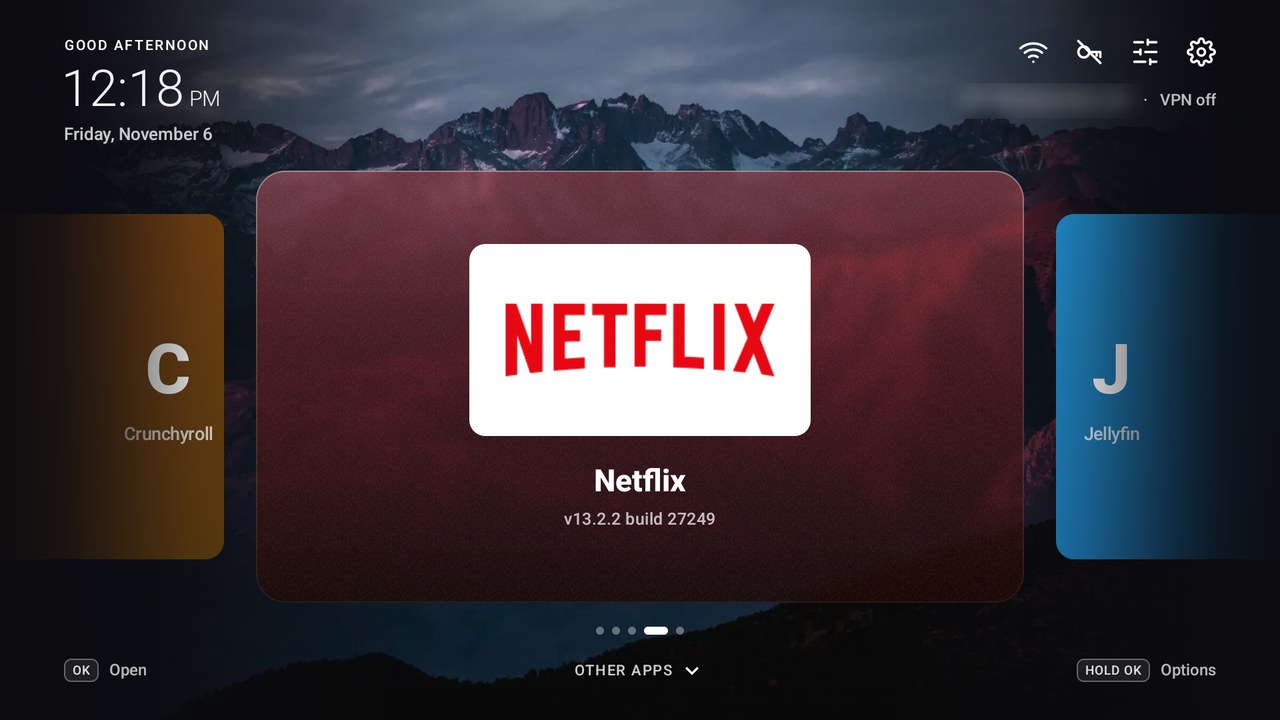
Big cards for your pinned apps, tinted with each app's own colours.
Every app you haven't pinned, in a tidy grid.
Built-in wallpapers, your own photos, solid colours and an accent colour.
12- or 24-hour format, or hidden entirely.
A black screen, a floating clock, or a bouncing DVD-style word.
Every screen works with the D-pad. No mouse, no touch.
Under 1 MB, built on plain Android views for smooth motion on modest TV hardware.
No ads, no tracking, no account. It just shows your apps.
Use ◀ ▶ on your keyboard, just like on the remote.
Five buttons are all you need. Hover a button to see what it does.
Get release-signed.apk from the
latest release.
Move it to your TV with a USB drive, LocalSend or a file manager, then open it to install.
Open Simple TV Launcher. To use it for the Home button, go to Settings → Default Launcher.